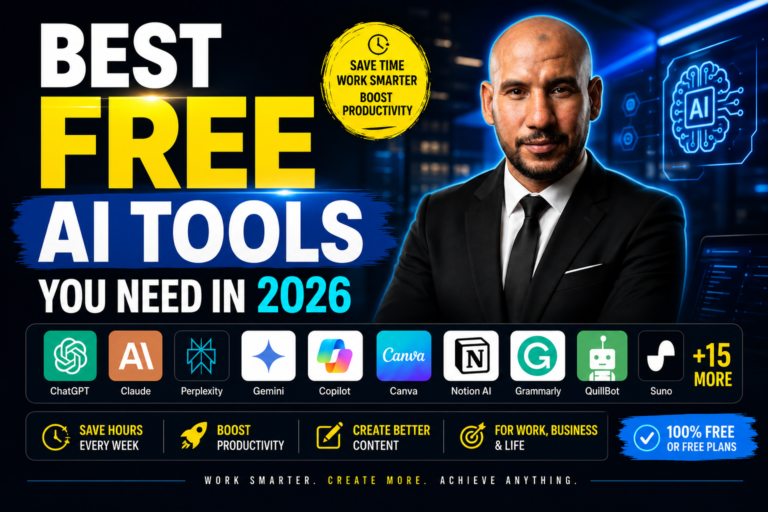
In 2026, you don’t need a big budget to compete. You need the right tools. While other creators are spending hundreds per month on software stacks, the smartest people I know are building entire content businesses — and generating real income — using free AI tools that most people scroll right past.
I’ve tested every tool on this list personally for my own content operation at Omar S.K AI. Some of these have saved me entire working days every month. A few have replaced tools I was paying for. And all of them are available right now, at zero cost, with free plans powerful enough to get you real results.
This is not a padded list of 50 tools you’ll never use. This is the ultimate curated list of 25+ AI tools that actually matter in 2026, organised by what they do, with honest breakdowns of what each one is best for.
Work smarter, not harder. The creators and marketers dominating in 2026 are not the ones with the biggest ad budgets — they’re the ones with the most efficient AI-powered workflows. This guide gives you exactly that, for free.
Writing is the foundation of every content business — blogs, emails, scripts, social posts, product reviews. These AI tools make you a faster, sharper writer without replacing your voice.
The most versatile AI writing assistant available. Use it for drafting blog posts, writing email sequences, generating YouTube scripts, repurposing content, and brainstorming ideas at scale. GPT-4o is available on the free tier with usage limits.
Anthropic’s Claude is exceptional at nuanced writing, following complex instructions, and producing content that reads naturally — not like it was generated by a machine. It excels at longer documents, structured blog posts, and creative writing tasks.
Copilot is completely free and powered by GPT-4. It’s built into Edge, Windows, and Office apps. Use it for quick drafts, summarising documents, and rewriting content — especially if you’re already in the Microsoft ecosystem.
Beyond spell-check, Grammarly’s free AI layer now rewrites sentences for clarity, adjusts tone, and flags engagement issues in real time. Essential for any content that represents your brand publicly — blog posts, emails, product descriptions.
QuillBot’s free paraphraser and summariser are unmatched for rewriting existing content into fresh angles without starting from scratch. Brilliant for repurposing affiliate reviews, turning blog posts into social captions, or freshening up old content for SEO.
The most accurate AI translation tool available — significantly better than Google Translate for nuanced, natural-sounding results. The free tier handles up to 500,000 characters per month. Essential if you’re reaching non-English speaking audiences or expanding into new markets.
I tested ChatGPT, Claude, and Gemini head-to-head for affiliate marketing content — writing reviews, email copy, YouTube scripts, and blog posts. Here’s exactly which one won and why.
→ ChatGPT vs Claude vs Gemini: The Honest Comparison for CreatorsGood research used to take hours. These tools do it in minutes — with sources, summaries, and answers that actually make sense.
Perplexity is an AI search engine that gives you sourced, real-time answers — not just links. It’s the fastest way to research a niche, verify product claims, or find statistics for blog posts. Every answer comes with citations you can fact-check instantly.
Google’s Gemini has deep integration with Google Search and real-time web access on the free tier. It’s particularly strong for researching current trends, summarising recent news, and generating content ideas based on what’s actually performing right now.
Google’s NotebookLM lets you upload your own documents, PDFs, or YouTube links and then have a conversation with that content. It’s transformative for turning competitor research, product PDFs, or niche reports into structured, usable insights in minutes.
Microsoft’s Bing Creator (powered by DALL·E) generates free AI images for blog posts, Pinterest pins, social media, and thumbnails. Completely free with your Microsoft account — no credits, no subscription required. Consistent quality for content graphics.
The biggest research mistake content creators make is relying on a single AI tool. Use Perplexity to find sources → NotebookLM to analyse documents → ChatGPT or Claude to write from your notes. This three-step stack produces more accurate, more authoritative content than any single tool alone.
Content creation used to require expensive software and design skills. These tools put professional-grade output within reach of anyone — in minutes, not hours.
Canva’s free tier is still the most powerful design tool available without a subscription. Create YouTube thumbnails, blog featured images, Pinterest pins, social media posts, presentations, and lead magnets — all with AI-powered Magic Design suggestions and a text-to-image generator.
Gamma turns a text prompt into a fully designed presentation, document, or webpage in under 30 seconds. It’s the fastest way to create lead magnets, webinar decks, or free reports you can give away as list-building incentives.
Notion AI combines the world’s most popular productivity workspace with built-in AI that summarises, drafts, and organises content. Use it to manage your content calendar, store research, draft outlines, and build an AI-assisted second brain for your entire content operation.
Photopea is a free, browser-based Photoshop alternative that supports PSD files. It’s the go-to free tool for detailed image editing, background removal, and creating layered thumbnail designs when Canva’s templates aren’t enough.
Microsoft’s AI-powered design tool generates social media posts, banners, and graphics from text prompts. Free with a Microsoft account, it’s particularly strong for quickly generating styled promotional graphics and social content variations.
Completely free and cloud-based with AI writing assistance built in. Google Slides is perfect for creating shareable presentation content — webinars, case studies, training materials — that you can embed, link, or export to PDF as a lead magnet.
Figma’s free tier allows up to 3 projects with full design and prototyping capabilities. It’s the go-to tool for designing landing pages, digital product mockups, and any design asset where pixel-perfect control matters. The AI design assistant speeds up layout creation significantly.
Now that you have the tools to create content — are your YouTube titles strong enough to get it seen? I broke down the exact 4-part formula for viral titles that top creators use to double their CTR.
→ The Secret of Viral YouTube Titles: Formula & ExamplesVoice and audio AI is one of the most underused advantages available to content creators right now. These tools let you generate studio-quality voiceovers, music, and transcriptions — without a microphone, a studio, or a budget.
ElevenLabs produces the most realistic AI voiceovers available. The free tier gives you 10,000 characters per month — enough for short-form videos, reels, and product review voiceovers. You can even clone your own voice for consistent brand audio across all content.
Suno generates original, royalty-free music from a text prompt in seconds. The free tier gives you 50 songs per day. Use it to generate background music for videos, reels, podcast intros, or any content where stock music feels generic or licensing is a concern.
Otter.ai transcribes audio and video in real time with high accuracy. The free tier gives you 300 monthly transcription minutes — enough to convert YouTube videos, podcast interviews, or your own recordings into blog posts, social captions, and email newsletters automatically.
Repurposing power move: Record one YouTube video → use Otter.ai to transcribe it → paste the transcript into Claude to rewrite it as a blog post → use ElevenLabs to create a short audio version → post all three formats in the same week. One piece of content, three platforms, zero extra recording time.
For free AI-powered video editing, one tool stands miles ahead of everything else right now.
CapCut’s free tier includes AI auto-captions, background removal, smart cut, voice enhancement, and a library of templates for short-form content. It’s the fastest way to edit YouTube Shorts, Instagram Reels, and TikToks with a professional finish — without paying for Premiere Pro or Final Cut.
Note on CapCut: Always export your final edits and keep raw footage backed up. Regulatory uncertainty in certain markets means you shouldn’t rely on any single free platform as your only video storage solution.
Short-form videos created with CapCut and ElevenLabs are powerful — but only if you capture that audience before the algorithm moves on. Here’s how I build my email list directly from social video content.
→ How to Build an Email List From Short-Form Video (My Method)Automation is what separates creators who feel constantly busy from creators who actually scale. These tools connect your other tools together and handle repetitive tasks while you focus on what matters.
Zapier connects 6,000+ apps and automates actions between them — no code required. The free tier gives you 100 tasks per month and 5 active Zaps. Use it to auto-post content, send notification emails when someone signs up, or trigger workflows between your tools automatically.
Make is more powerful than Zapier for complex automations — and the free tier is more generous (1,000 operations per month). If you want to build multi-step automated workflows that process data, filter content, and handle conditions, Make is the tool for it.
Trello’s free tier gives you unlimited cards and up to 10 boards — more than enough to manage a full content operation. Use it to track your content pipeline from idea to published, manage affiliate product research, and coordinate any team or freelancer work visually.
Remove.bg removes image backgrounds in one click with near-perfect AI accuracy. The free tier gives you low-resolution outputs that are perfectly usable for social media and digital content. Essential for creating clean product images, thumbnail cutouts, and branded graphics fast.
Zapier and Make are just the beginning. I use AI agents to automate entire content workflows — from research to publishing — with minimal manual input. Here’s the full system I built.
→ AI Agents for Affiliate Marketing: Automate Your Entire Content EngineAt-a-Glance Comparison: All 25+ Tools
| Tool | Category | Best For | Plan |
|---|---|---|---|
| ChatGPT | Writing | Drafting, scripting, email copy | Freemium |
| Claude | Writing | Long-form, nuanced content | Freemium |
| Copilot | Writing | Microsoft ecosystem, quick drafts | Free |
| Grammarly | Writing | Proofreading and tone | Freemium |
| QuillBot | Writing | Rewriting and repurposing | Freemium |
| DeepL | Writing | AI translation | Freemium |
| Perplexity | Research | Sourced real-time answers | Freemium |
| Gemini | Research | Google-integrated trend research | Freemium |
| NotebookLM | Research | Document analysis and deep research | Free |
| Bing Creator | Research / Images | Free AI image generation | Free |
| Canva | Content | Thumbnails, pins, graphics | Freemium |
| Gamma | Content | AI presentations and lead magnets | Freemium |
| Notion AI | Content | Content planning and organisation | Freemium |
| Photopea | Content | Advanced image editing | Free |
| Microsoft Designer | Content | AI social graphics | Free |
| Google Slides | Content | Free presentations and PDFs | Free |
| Figma | Content | Landing pages and digital products | Freemium |
| ElevenLabs | Voice & Audio | AI voiceovers and voice cloning | Freemium |
| Suno | Voice & Audio | Royalty-free AI music | Freemium |
| Otter.ai | Voice & Audio | Transcription and repurposing | Freemium |
| CapCut | Video | Short-form video editing with AI | Freemium |
| Zapier | Automation | App connections and workflows | Freemium |
| Make | Automation | Complex multi-step automation | Freemium |
| Trello | Automation | Content pipeline management | Free |
| Remove.bg | Automation | Background removal for images | Freemium |
My Recommended Free AI Stack for Affiliate Marketers
Don’t try to use all 25 tools at once. Here’s the lean, focused free stack I’d recommend for anyone building an affiliate content business from scratch in 2026:
🐺 The Omar S.K AI Starter Stack (100% Free)
How to Build Your Free AI Toolkit: Step-by-Step
Start with One Core Writing Tool
Sign up for Claude or ChatGPT free and use it exclusively for two weeks. Learn how to prompt it effectively for your specific content type before adding anything else. Mastery of one tool beats surface-level use of ten.
Add a Research Tool in Week Two
Layer in Perplexity AI for sourced, real-time research. Use it in combination with your writing tool: research in Perplexity, write in Claude or ChatGPT. This two-tool combination alone will outperform most paid content workflows.
Set Up Your Visual Layer
Create a free Canva account and build your brand template — your colours, fonts, and logo in one reusable Canva kit. Every piece of visual content you create from now on should start from this template for brand consistency.
Add Video and Audio When You’re Ready to Publish
Once your written content is flowing, add CapCut for video and ElevenLabs for voiceover. These open up YouTube Shorts, Instagram Reels, and faceless video as additional traffic channels — without additional recording time.
Automate the Repetitive Parts
After 30 days of publishing, identify the three most repetitive tasks in your workflow. Build a free Zapier automation for each one. This is where your productivity compounds — every automation you set up runs every day without your involvement.
Upgrade Only What Earns Its Cost
After 60–90 days, look at which free tools you’ve hit the limits on consistently. Only upgrade the ones where the paid tier will directly help you earn more or save more time. Everything else stays free.
I didn’t start with a perfect setup. I built this system step by step, making plenty of mistakes along the way. If you want to see the real story — including how I went from zero to my first commission — it’s all documented here.
→ My Affiliate Marketing Journey: The Real Story From ZeroHow to Turn This Free Toolkit Into Real Income
Having free AI tools is only half the equation. The other half is knowing what to create with them that actually earns money. Here’s how I connect the toolkit to income:
- Write affiliate product reviews with ChatGPT or Claude → publish on your blog → promote on Pinterest with Canva graphics
- Create YouTube video scripts with Claude → record or use ElevenLabs voiceover → edit with CapCut → optimise titles with the viral title formula
- Build a lead magnet with Gamma → drive traffic to it with Canva social posts → capture emails → promote affiliate offers to your list
- Automate the whole workflow with Zapier or Make so content goes out consistently even when life gets busy
You’ve got the tools to create the content. Now you need the right offers to promote. I’ve compiled 47 high-paying affiliate programs that work perfectly with the content formats these tools produce.
→ 47 High-Paying Affiliate Programs for Content Creators (2026)The biggest mistake content creators make is spending 90% of their time creating and 10% promoting. I use a system called Post Promote Profit to flip that ratio and get every piece of content working harder across more platforms.
→ Post Promote Profit: Get More Views on Everything You Publish🚀 Want the Full System — Not Just the Tools?
Free tools are powerful. But tools without a system still lead to inconsistent results. Inside my free training, I show you the exact workflow I use to combine these tools into a content machine that generates daily affiliate commissions — step by step, from scratch.
⚡ Get the Free System →Frequently Asked Questions
Final Thoughts: Work Smarter. Create More. Achieve Anything.
In 2026, your biggest competitive advantage is not your budget — it’s your efficiency. The creators who consistently outperform everyone else are not working harder. They’re working smarter, with better tools, better systems, and better habits built around AI.
Every tool on this list is free to start. There are no excuses left. Pick the stack that fits your content model, spend two weeks mastering it, and then start publishing consistently. The compounding effect of consistent AI-assisted content creation is one of the most powerful wealth-building mechanisms available to independent creators right now.
Start today. Not next week. Today.