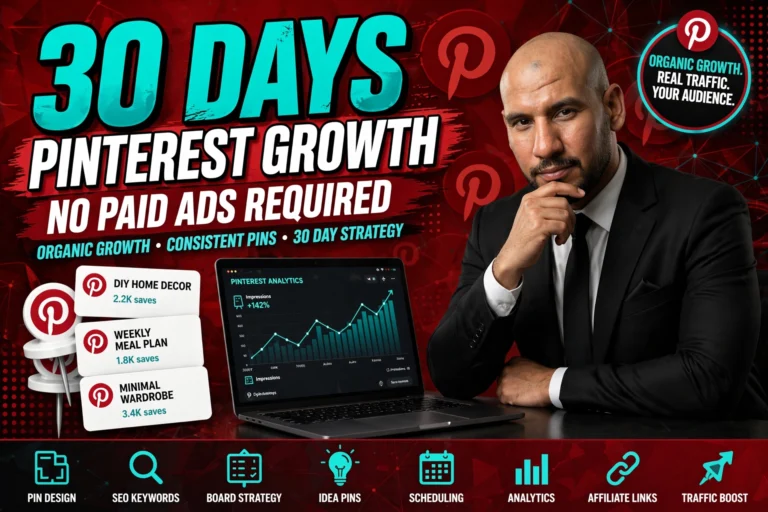
Pinterest is the most underrated free traffic platform available to content creators and affiliate marketers in 2026. While everyone else is fighting the Instagram algorithm and paying for TikTok reach, Pinterest quietly sends billions of search-intent visits every month — to people who posted a pin weeks, months, or even years ago.
Unlike social media platforms where content disappears in 24–48 hours, a Pinterest pin can drive traffic for years after it’s posted. One well-designed pin targeting the right keyword can generate thousands of clicks to your website, affiliate link, or landing page — completely free, completely passively.
This 6-step Pinterest Growth Blueprint takes you from zero followers to 10,000 in 30 days using the exact strategies that power the fastest-growing Pinterest accounts in 2026. No paid ads. No bots. No shortcuts that get your account suspended. Just the right setup, the right content, and the right consistency.
Why Pinterest beats every other free traffic platform for affiliate marketers: Pinterest is a visual search engine, not a social network. People use it to find ideas, products, and solutions — with purchase intent already present. A pin ranking for “best home office setup under $500” attracts buyers, not browsers. That buyer intent, combined with evergreen pin longevity, makes Pinterest the highest-ROI free traffic channel for affiliate marketing in 2026.
The 6-Step Pinterest Growth Blueprint
Your Pinterest Business Account is fundamentally different from a personal account — it unlocks analytics, Rich Pins, the ability to add website links, and enhanced algorithmic distribution. If you already have a personal Pinterest account, convert it to Business (free, takes 60 seconds). If you’re starting fresh, sign up as Business from day one.
Your profile is indexed by Pinterest’s own search engine AND by Google — making it one of the few social media profiles that generates organic Google traffic. Every field you fill in with relevant keywords is another indexing signal that helps your profile appear in search results.
📋 What To Do
- Sign up at pinterest.com/business/create (free)
- Choose a username that includes your main niche keyword
- Write a bio with 2–3 keywords naturally placed in 2 sentences
- Add your website URL (required to unlock link features)
- Upload a professional profile photo or branded logo
- Claim your website in Settings → Claimed Accounts
- Enable Rich Pins after claiming your website
- Set your location and preferred language for regional targeting
💡 Tips
- Use your main keyword in your display name — it boosts search ranking
- Bio character limit is 160 — use all of it with keyword-rich content
- Rich Pins pull metadata from your website automatically — enable them
- Claiming your website adds a checkmark that builds trust with visitors
- Profile photo: bright, clear, professional — not a blurry selfie
Pinterest boards are how the platform categorises your content and decides who to show it to. A well-structured set of 5–7 focused, keyword-rich boards signals clearly to Pinterest’s algorithm what your account is about — and which searchers should see your pins. Board titles and descriptions are the most underutilised SEO opportunity on all of Pinterest.
📋 What To Do
- Create 5–7 boards covering the core topics of your niche
- Use keyword-rich board titles — exactly how people search
- Write 2–3 sentence board descriptions with secondary keywords
- Choose a visually compelling cover pin for each board
- Set each board to Public (not Secret) for indexing
- Organise boards from most to least important on your profile
- Create one “Best of [Your Name]” board featuring your top content
💡 Tips
- Board titles rank in Google — treat them like blog post titles
- 5–7 focused boards beat 30 scattered ones for new account authority
- Use Pinterest search autocomplete to find the best board title keywords
- Don’t use clever board names — use searchable ones
- Add 10–15 initial pins to each board before promoting your account
In a Pinterest feed scrolled at speed on mobile, you have approximately 0.3 seconds to stop someone from scrolling past your pin. That half-second is decided by your pin’s visual design before a single word is read. The best-optimised pin description in the world cannot overcome a weak visual design.
The good news: great pin design follows a repeatable formula, and Canva (free) makes that formula accessible to anyone — no design experience required. Nail these four elements and your pins stop scrolls consistently.
📋 What To Do
- Use Canva’s Pinterest Pin template (1000×1500px — pre-built)
- Create 3–5 pin templates in your brand colours for consistency
- Put your main keyword in the headline text — large and bold
- Use easy-to-read fonts — avoid script or decorative fonts
- Use high-contrast colour combinations (dark text on light, or vice versa)
- Add your website URL at the bottom of every pin
- Test different designs — Pinterest Analytics shows which performs best
💡 Tips
- Bright colours outperform muted tones in the Pinterest feed
- Text must be readable at thumbnail size — test by zooming out
- Consistent branding builds account recognition across the platform
- Use AI image generation for unique visuals that stand out
- Create multiple design variants of each pin — A/B test them
Pinterest design is only one part of the equation. The complete Pinterest traffic strategy for affiliate marketers covers content planning, board organisation, pin scheduling, and converting Pinterest visitors into email subscribers and affiliate buyers.
→ Free Pinterest Traffic for Affiliate MarketersPinterest’s 2026 algorithm heavily rewards fresh content — new images posted consistently, every day. This is the most important single factor in your account’s growth rate. An account posting 3 fresh pins per day for 30 days will grow dramatically faster than an account posting 50 pins on one day and then going quiet for a week.
“Fresh” means new images — not repins of existing content. Create new pin designs for each piece of content. You can create multiple pin designs for the same blog post or affiliate link (different headline, different image, same destination URL) — each one is a fresh pin that can reach a new audience.
📋 What To Do
- Post 2–5 fresh new pin designs every single day
- Pin to the most relevant board first — always
- Cross-pin to secondary relevant boards 24–48 hours later
- Use SEO-optimised pin titles with your target keyword
- Write pin descriptions of 100–200 words with keywords naturally placed
- Add 2–5 relevant hashtags to every pin description
- Pin during peak hours: evenings (7–11 PM) and weekends
- Use Pinterest’s native scheduler to batch-create and auto-publish
💡 Tips
- Use Canva’s bulk create feature to make 10 pin variants in minutes
- Create 3 different pin designs per blog post — triple your pin output
- Relevant boards only — off-topic pinning hurts your algorithm score
- SEO-optimised titles are more important than descriptions
- Pin 5–10 pins per blog post across different designs and timing
Pinterest impressions and views are vanity metrics. The metrics that actually predict income are Outbound Clicks (people clicking to your website or affiliate link) and Saves (people bookmarking your pin for later). These are the signals that tell you which content is working AND tell the Pinterest algorithm to distribute your pins more widely.
Check Pinterest Analytics every week — not daily. Weekly review gives you enough data to make meaningful decisions without the noise of daily fluctuations. The question to answer every week: which pins are generating the most outbound clicks, and how do I make more content like them?
📋 What To Do
- Open Pinterest Analytics → Overview → weekly view
- Filter by Outbound Clicks → sort by highest to lowest
- Note which pin designs and topics drive the most clicks
- Check Saves → identify which pins get bookmarked most
- Review which boards drive the most engagement
- Look at audience demographics — are you reaching the right people?
- Create 3 more pins in the style of your top performers each week
💡 Tips
- Impressions without clicks = wrong audience or weak design
- High saves + low clicks = content is good but CTA is weak
- High clicks + low saves = strong CTA but content isn’t share-worthy
- Review every 7 days — daily data is too noisy for decisions
- Screenshot your top pins weekly — build a “what works” swipe file
Pinterest’s algorithm gives a significant distribution boost to pins that match currently trending searches — making trend-jacking one of the most powerful growth levers available. A pin targeting a trending keyword can reach 10–100× more people than the same pin targeting a static keyword, simply because Pinterest actively promotes trend-relevant content to users who are searching those terms right now.
Pinterest Trends (trends.pinterest.com) is a completely free tool that shows you exactly which keywords are rising in search volume — updated weekly. Check it every Monday, identify the top rising trends in your niche, and create 2–3 pins targeting those trends before the peak hits.
trends.pinterest.com — free weekly data on rising keywords in every niche. Check every Monday and act immediately.
Type your niche keyword in Pinterest search — autocomplete reveals what people are actually searching for right now.
Post seasonal content 3–4 weeks before peak season. Pinterest’s indexing means your pins need lead time to gain traction.
Trending keyword + scroll-stopping design + strong CTA + posted before peak = maximum algorithmic distribution.
📋 What To Do
- Visit trends.pinterest.com weekly — bookmark it
- Filter by your niche category to find relevant rising trends
- Create 2–3 fresh pins targeting top rising keywords immediately
- Use Pinterest search autocomplete for additional keyword ideas
- Plan seasonal content 3–4 weeks ahead of each key season
- Post trend-targeted pins during the rising phase — not the peak
- Follow accounts in your niche to see what’s performing for them
💡 Tips
- Early trend-movers get the most algorithmic boost — act fast
- Combine trending keywords with evergreen content for lasting traffic
- Holiday and seasonal content peaks 3–4 weeks before the date
- Fresh pin + trending keyword = Pinterest’s favourite combination
- Track which trend-based pins outperform your regular content
PRO TIPS: The Rules That Separate Fast Growers from Slow Ones
The accounts reaching 10K in 30 days aren’t posting better content than the ones reaching 10K in 6 months. They’re posting 3–5 pins daily instead of 1, they’re targeting trending keywords 2–3 weeks ahead of peak, and they’re creating 5–10 pin variants per piece of content instead of one. The blueprint is the same — the execution speed is what changes the outcome.
Your 30-Day Growth Timeline: What to Do Each Week
AI tools can generate your pin headlines, board descriptions, and pin captions in seconds — making it possible to create 30 days of Pinterest content in a single afternoon. Here’s exactly how I use AI to build my content pipeline.
→ How to Make Money With AI in 2026 (6 Proven Methods)10,000 Pinterest followers means nothing without a monetisation strategy. The best way to turn Pinterest traffic into daily income is through a proven affiliate system that’s already set up and converting — so you earn from every click your pins generate.
→ Best Done-For-You Affiliate System for BeginnersPinterest traffic is powerful — but email subscribers are forever. The smartest Pinterest marketers convert every click into an email subscriber, building an owned audience that generates income independently of any algorithm or platform change.
→ How to Build an Email List on TikTok for Free📌 Save This Blueprint & Supercharge Your Growth!
You now have the complete 6-step Pinterest Growth Blueprint to go from 0 to 10K followers in 30 days. But Pinterest growth is only the traffic strategy — you still need the complete affiliate income system that converts those visitors into daily commissions. My free training covers the complete pipeline.
⚡ Get the Free System → Start Growing & Earning TodayFrequently Asked Questions
Final Thoughts: Start Pinning Today, Earn Passively Tomorrow
Pinterest is the only major platform where content you create today continues driving traffic 6, 12, and 24 months from now — with no additional effort. A pin that goes viral in month one can still be generating clicks in year three. That evergreen compounding is the superpower that makes Pinterest unlike every other social platform.
The 6-step blueprint is clear. The 30-day roadmap is laid out. The tools are all free. All that’s left is the decision to start today and the discipline to post every single day for the next 30 days. Your Pinterest account at 10K followers is 30 days of consistent action away.